Introducing the new Paystack Dashboard: rebuilt for the first time in 10 years
Why we rethought the Paystack Dashboard after 10 years, and how we designed a faster, simpler, AI-native experience for modern businesses.
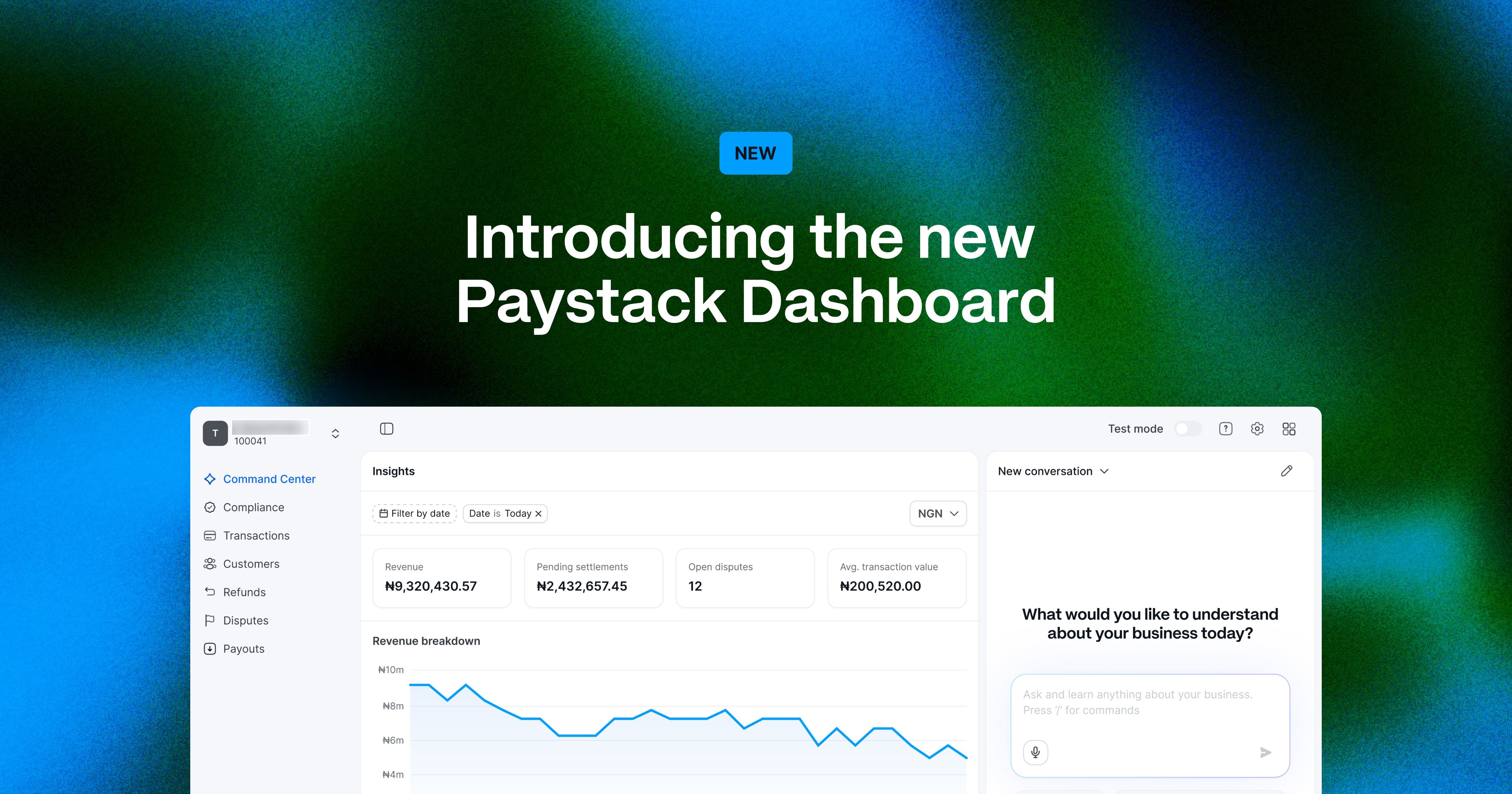
Today, we’re excited to introduce Canvas, the new Paystack Dashboard, rebuilt from the ground up for the first time in 10 years.
For a decade, the Dashboard has been the core surface where thousands of businesses manage their operations on Paystack. Over the years, we made continuous improvements, but we hadn’t stepped back to rethink the experience end to end.
That changed in November 2025. What began as a visual refresh quickly became something more ambitious. As we designed and listened to merchants, we saw that the Dashboard didn’t just need to look more current, it needed to better reflect how businesses operate today.
So we asked a more fundamental question: if we were designing the Paystack Dashboard from scratch, what would we do differently?
The answer became a complete rebuild of one of Paystack’s most important product surfaces, with a new architecture, a new interaction model, and a clearer vision for what a business dashboard should be.
In this post, we’ll share why we rebuilt the Dashboard, how we approached the work, and the decisions that shaped Canvas.
A product shaped by growth
The original Dashboard was built for a different stage of Paystack's journey.
Over time, it grew alongside the businesses that relied on it. We added features, introduced new workflows, and expanded what merchants could do, without asking them to start over each time. That made the product more powerful, but it also made it heavier.
As we layered in more capabilities, the structure of the Dashboard began to reflect how the product had evolved, rather than how merchants think about their work. Through research with merchants, what came through clearly was that businesses had a strong sense of what they were looking for, they just didn't always know where to find it on the Dashboard. With each new feature, navigation expanded and paths multiplied, and what was once straightforward took more effort to move through.
It still worked, but it wasn't as clear or intuitive as it should have been. This showed up most in two areas.
The first was mobile. When the Dashboard was first built, most businesses managed their operations from a laptop or desktop. That's just how work happened then. But over the years, that's shifted significantly, more and more merchants now run their day-to-day from a phone, whether that's checking transactions on the go, responding to customer issues from the road, or monitoring settlements during a meeting. The Dashboard wasn't designed with that reality in mind, so on mobile, important things could feel cramped or harder to reach. For businesses doing real work from their phone, that gap was getting harder to ignore.
The second was analytics. As businesses grew, the questions they brought to the Dashboard grew with them. They weren't just checking what happened, they wanted to understand why: why is revenue down this week? Which customers are driving growth? What's happening with this dispute? The data was all there, but getting to the answers meant clicking into the right page, applying the right filters, exporting things, and putting the picture together yourself. It worked, but it took time.
We'd seen these patterns over time, both in how the product evolved and in what merchants told us. Eventually, it became clear this wasn't something we could fix with small improvements. It called for a more fundamental rethink.
That rethink began with Pax, Paystack's design system. It gave us a shared foundation: consistent components, clearer principles, and a common language between design and engineering. We initially set out to use it to bring more coherence to the Dashboard, but it quickly became clear it could support something deeper.
At the same time, the context had shifted. AI had become genuinely useful, changing how we think about search, assistance, and interaction in a product like this. Our business had expanded across markets, with new capabilities and licenses, and we had more clarity on where Paystack was going.
We were no longer just building payments, we’re building other products, and the Dashboard needed to reflect that structure, not the accumulated shape of everything that came before.
We approached rebuilding it with a few principles that guided every decision:
- AI-native, not AI-added: The Dashboard is designed with AI as part of the interface, not just layered on top.
- Discoverability: Merchants see what's relevant to them, when they need it.
- Composability: Each product is modular and can stand on its own.
- Pax at the core: A consistent foundation for performance, accessibility, and scale.
What we built
Rethinking navigation
The most visible change in the new Dashboard is the navigation.
We spoke to merchants and ran tree testing: a research method where you ask people to find things in a proposed structure, to see whether your categories match how they think and where they expect information to live. The takeaway was clear: merchants usually knew what they wanted, but they did not expect to find it where we had put it.
Those sessions also surfaced broader friction like how some filters did not behave as expected, exports sometimes failed, and interactions felt inconsistent. We treated all of it as a signal, and the result is a much simpler structure.
We moved from multiple sections and layers of links to just two: Payments and Products.
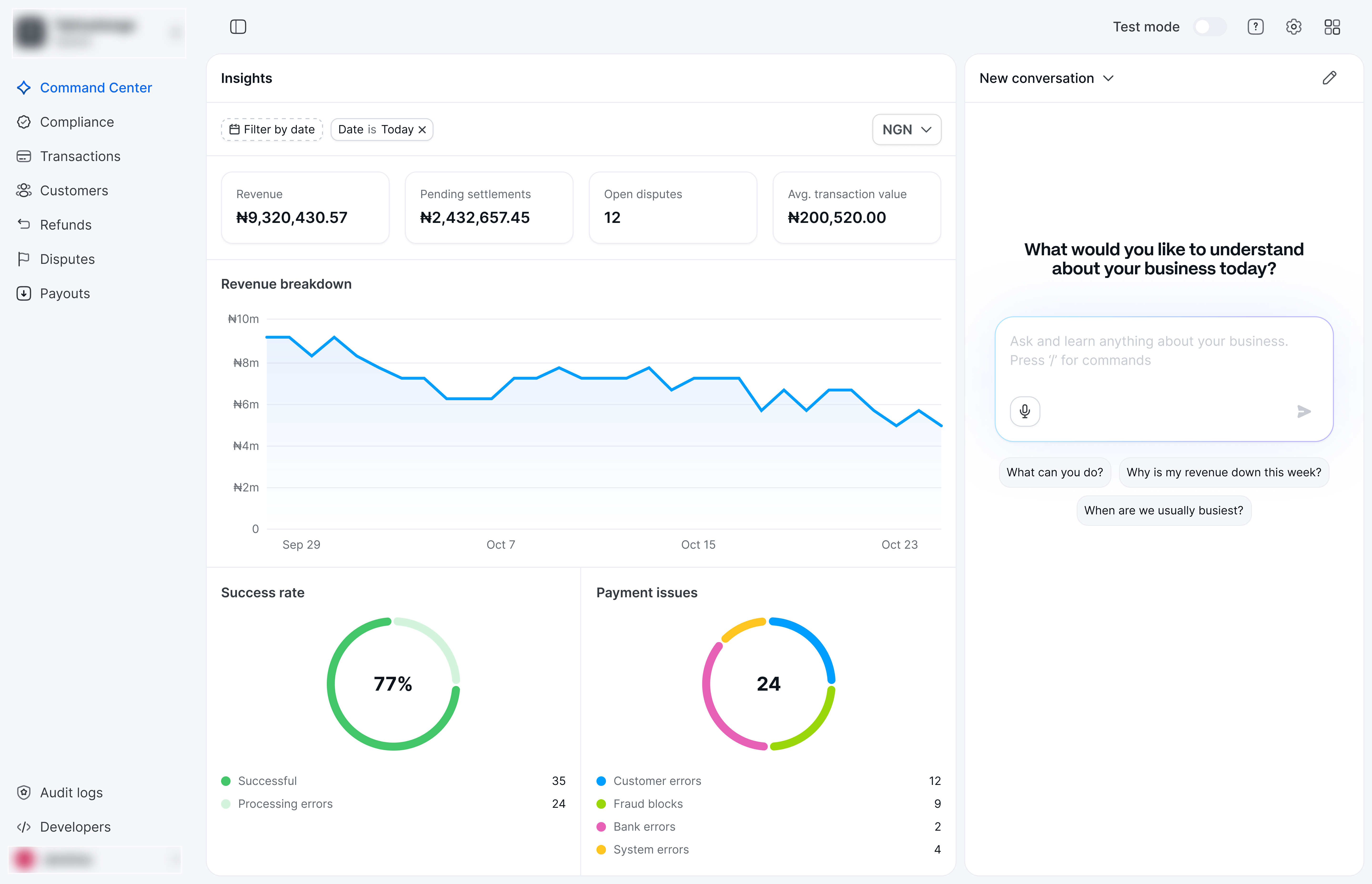
Payments covers the core workflows: Transactions, Customers, Refunds, Disputes, and Settlements. Products is where newer, modular offerings like transaction splits, transfers and anything new we build will live.
The goal was to reduce complexity and to also align the Dashboard with how merchants think about their work, rather than how features accumulated over time.
We also introduced dark mode so merchants can navigate in the way that works best for them. How a tool looks and feels matters, especially one you use every day. Some merchants prefer a lighter interface, while others prefer dark. We wanted the Dashboard to meet merchants where they are, and let them choose what feels right.
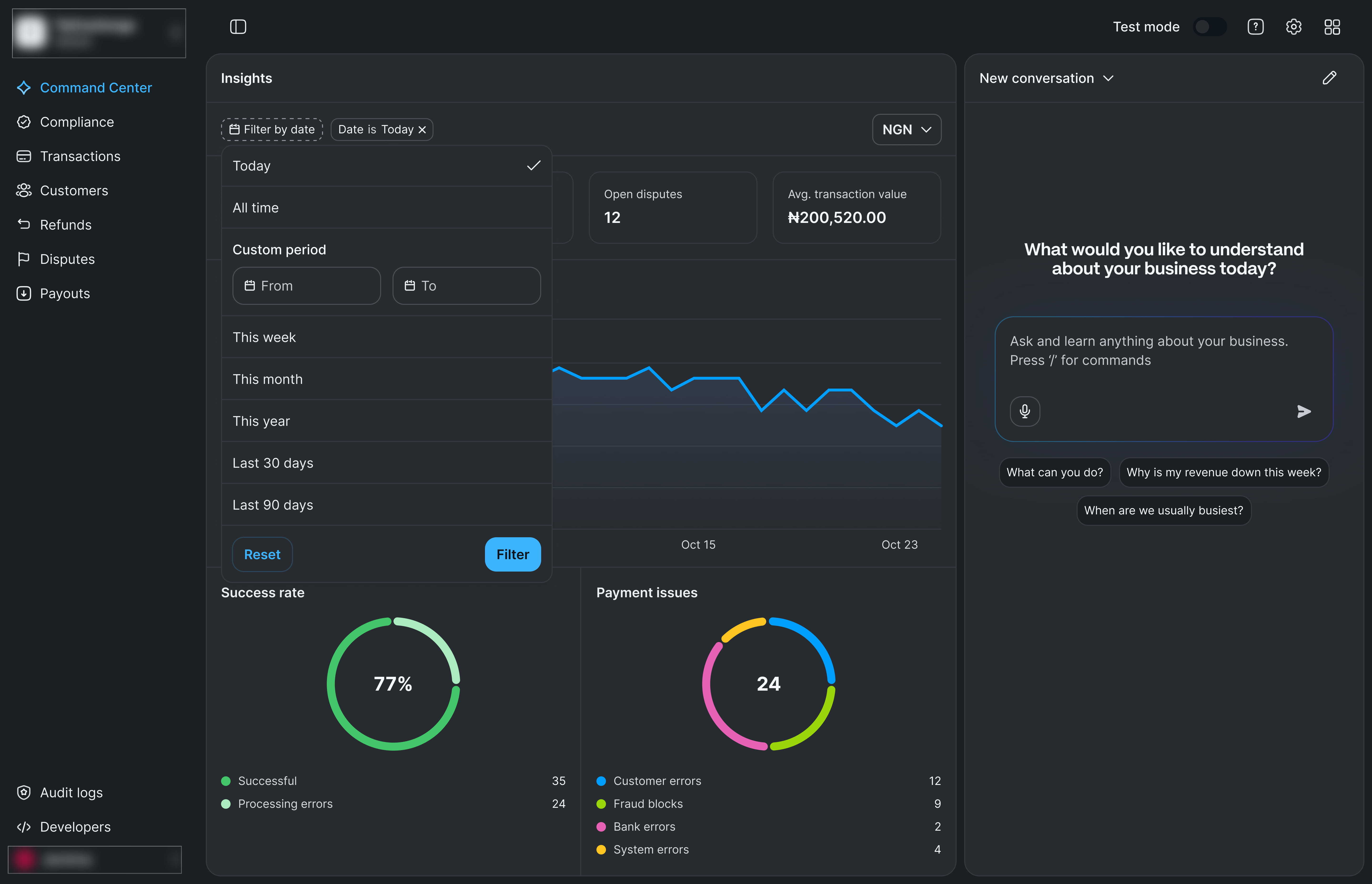
We were also deliberate about scope. This release focuses on core payments. Features like Commerce, Splits, and Transfers are not included yet. Rather than replicate everything at once, we chose to do the most important things well first, then expand from there.
When you log into the new Dashboard, you see your business at a glance on the left (revenue, settlements, disputes, and transaction breakdowns) and a conversation pane on the right.
It opens with a simple prompt: What would you like to understand about your business today?
For us, that shift is intentional. The Dashboard is no longer just a place to look up data. It is a place to ask questions.
The AI-native Command Center
Most merchants come to the Dashboard with questions: Do I have any open disputes? What happened with this transaction? Why is revenue down this week?
Previously, answering those questions meant navigating to the right page, applying filters, and interpreting the results. It worked, but it took time.
We built the AI-native Command Center to remove that friction.
You ask a question in plain language and get an answer grounded in your data. Ask about transactions from this week, and you get a table. Ask why revenue is down, and you get an analysis. Ask about a customer or transaction, and the system understands the context.
This is what we mean by AI-native. The Dashboard isn’t just something you navigate, it’s something you can talk to.
Under the hood, it uses a combination of GPT models, structured data retrieval, and visualization tools to generate responses. Every answer is grounded in real merchant data, with strict validation to reduce hallucination. To make this reliable in practice, we built a deterministic harness to keep responses tied to actual data.
We built a new service, project-canvas-api, to handle conversations, connect to model providers, and interface with existing Paystack systems. It sits on top of infrastructure that has powered Paystack for years, so we could move quickly without rebuilding everything from scratch.
Getting this right was the hardest part of the project. The gap between a demo and a production system is significant. Models are non-deterministic, costs need to be managed, and reliability matters.
Trust matters even more. We worked closely with our Data Protection and Privacy team to ensure the system is safe, compliant, and aligned with how merchants actually use Paystack. This included a full DPIA (Data Protection Impact Assessment) and extensive adversarial testing.
One outcome of that work was a simple framework for handling requests:
- Valid intent, within capability → fulfill the request
- Valid intent, outside capability → decline and suggest alternatives
- Harmful intent → refuse entirely
- Ambiguous intent → answer only the clearly legitimate interpretation
We also added a final safeguard: every request is evaluated against safety and compliance criteria before a response is generated. If it doesn’t pass, it doesn’t get a response.
Another key decision was how the system presents information.
Text works well for explanation, but not always for data. So the Command Center responds in the most useful format: text where appropriate, and tables and charts when needed. Those tables are the same components used across the Dashboard. This keeps the experience consistent and avoids duplicating logic.
We also chose not to treat AI as an add-on.
Instead of a floating chat panel, the Command Center is built into the Dashboard itself. When you open it, the layout adapts. On a transaction page, it’s scoped to that transaction. The system understands where you are and what you’re looking at.
We also didn’t name the AI. There’s no separate “Paystack AI” or “Paystack assistant.” The goal isn’t to introduce something new. It’s to make the Dashboard itself intelligent.
Mobile, more functional this time
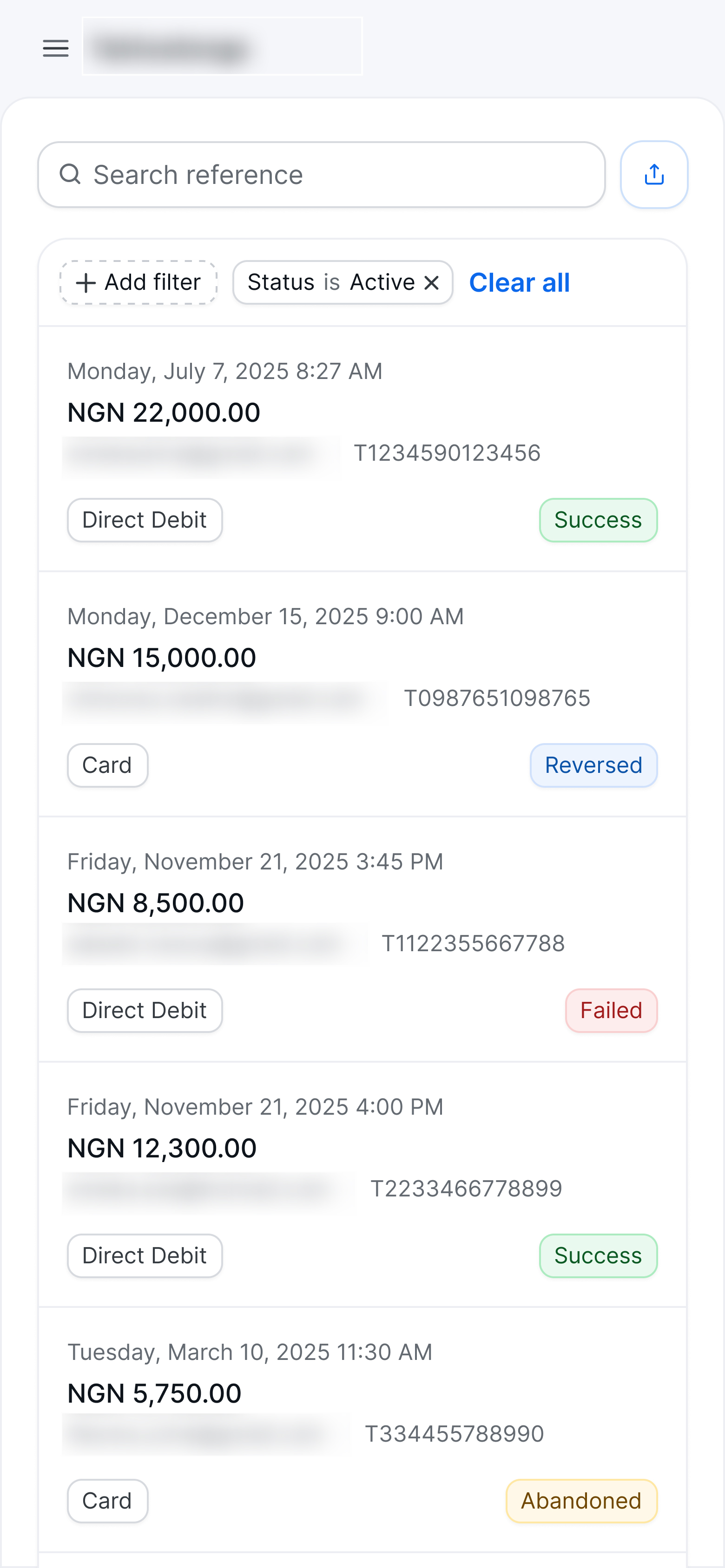
One of our commitments with the new Dashboard was simple: full parity between mobile and web. Every screen, feature, and action is available on your phone.
For large data tables, we adjusted how information is presented, but functionality wasn’t negotiable. Anything you can do on desktop, you can do on mobile.
Having Pax, Paystack's design system in place made this much more achievable. With a design system built on consistent tokens and components, responsive behavior isn't something you retrofit. It's built into the system.
The new Dashboard was also the first real stress test of Pax at this scale. For the most part, it held up, but building a full product revealed gaps we hadn’t seen before.
We found accessibility issues and fixed them. Some components didn't behave as expected across themes, and we fixed those too.
Accessibility was a priority in this rebuild, and it remains an ongoing commitment. If anything in the Dashboard makes it harder for you to use, we want to hear about it.
How we built it
The new Dashboard was built by a small, tightly coordinated team.
Dara led product and design. The work was shaped in close collaboration with a couple of Stacks from engineering, alongside a product design intern and support from the data team.
Research and design ran from November 2025 to early Jan 2026. Engineering ran from mid-January to mid-April 2026. In total, it took about five months to go from the first design decision to a product you can use today.
One of the clearest takeaways from the project was how integrated the work became.
Alex, Paystack’s Head of Frontend Engineering, worked across frontend architecture, backend design through project-canvas-api, and the AI layer at the same time. This helped close the usual gaps between systems.
Changes that would typically require coordination across layers could be made quickly. The boundaries between frontend, backend, and AI became less rigid, offering a glimpse of how smaller, high-context teams can operate.
We also chose not to modify existing backend APIs. By focusing the first release on core payments, we avoided complexity that would have required deeper changes. Where new behavior was needed, we introduced it through project-canvas-api or extended existing systems carefully.
The result is a new frontend built on top of infrastructure that has powered Paystack for years.
One important lesson was about evaluation. We introduced evals later than we should have. These are automated tests that measure the quality of AI responses against a defined baseline.
Introducing them earlier would have reduced manual testing and increased confidence as we iterated. It’s a lesson we’ll carry forward.
Get more stories like this
Subscribe to our newsletter to receive updates when new articles go live on the Paystack Blog.
Subscribe here ➔What comes next
Everything in this rebuild was in service of one goal: helping businesses run better.
This new Dashboard is just the foundation. The AI will keep improving, and more of Paystack’s product surface will move into this architecture over time.
There are also parts of what we shipped that we know can be better. In some cases, we chose to ship early, learn from real-world usage, and iterate. That’s why your feedback matters. Tell us what’s working, what isn’t, and what questions you still cannot answer.
This Dashboard has been shaped by what merchants have told us so far. What we build next will be shaped by what you tell us now.
If you have any questions or feedback about the new Dashboard, reach out to us at [email protected].
We’re just getting started 💙